Automated 3rd Party Printing for Coupons and Statements- HOA Mailers
We’re updating this article. Some screenshots or names may look older than what you see in the product.
Included in this document are the setup and usage instructions to send coupons and statements using our 3rd-Party printing option with HOA Mailers. With this option, if an owner has email selected for statements in their Mail Matrix settings, the email will be through Caliber’s email function, and not sent to HOAMailers.
There is no option to email coupons in the Mail Matrix.
Set-Up
Go to the top ribbon and select Management > 3rd-Party Printers > Settings.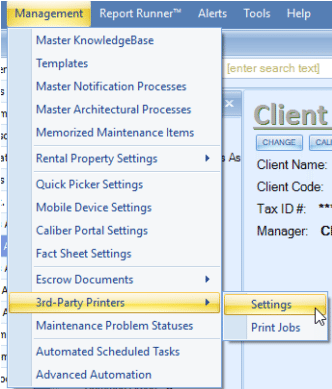
Select HOA Mailers in the Provider pulldown menu, enter the API Key that they provided to you, and Save.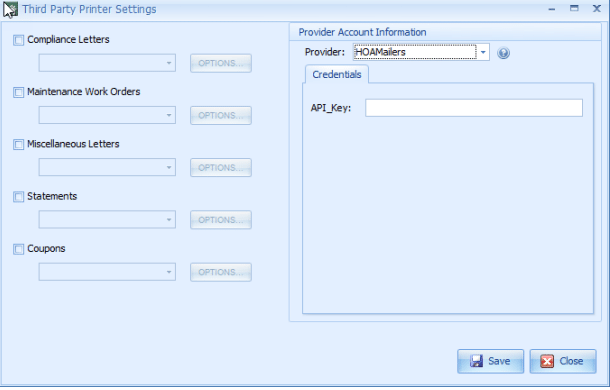
Next, click on the checkbox next to ‘Statements’ and/or ‘Coupons. Using the pulldown menu for each select HOA Mailers.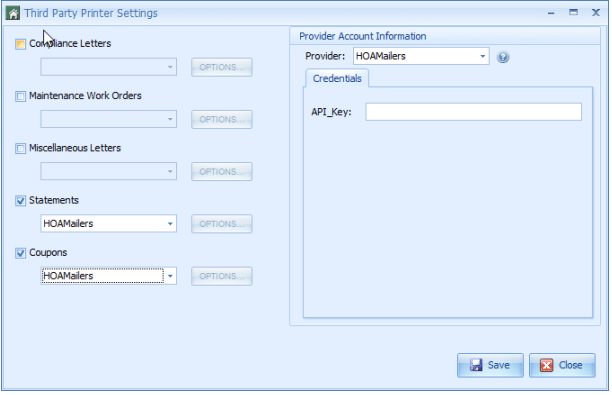
The ‘Options’ button next to each pulldown menu will remain grayed out because there are no additional options for these items with HOA Mailers.
Next, go to the Client Info Toolbox for each client and click on the Accounting Setup Tab.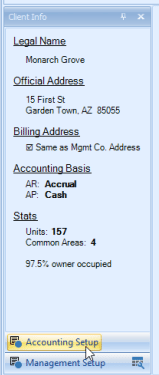
Go to the Coupons Tab. Using the Coupon\Statement Output Configuration pulldown, select HOA Mailers and Save.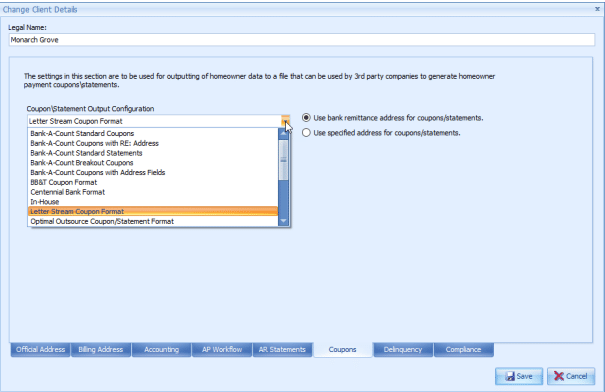
Generating Statement and Coupon Files
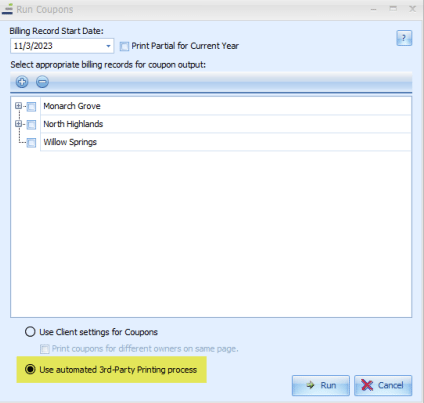
There is only one change to the process for generating statement and coupon files. For the output, select ‘Use automated 3rd-Party Printing process.’
Statements: 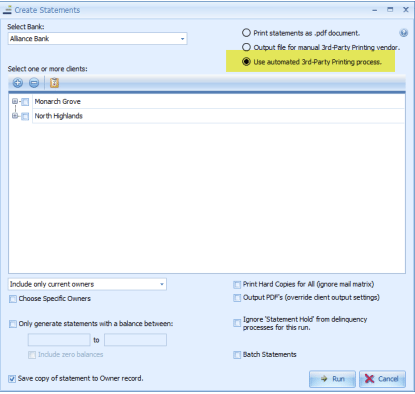
Coupons: