
Admin/Dealer - Adding Access Device Credits
We’re updating this article. Some screenshots or names may look older than what you see in the product.
In dwellingLIVE, there is a 1 to 1 relationship between access devices and access device credits. When a new access device is added to the system, one access device credit is used. If a community does not have device credits, they will not be able to add new access devices.
Access device credits come with access devices purchased through the Order Center or our Procurement Team. They can also be purchased separately through the Order Center.
Steps
1. Log into community.dwellinglive.com as a Community Administrator, Attendant Supervisor, or Dealer.
2. Select Access Devices from the Credentialed Access drop-down menu.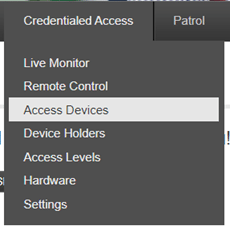
3. Select “Add Devices”.
4. On the left side of the page, select “Add More”.
· If there are no device credits entered skip to step 5.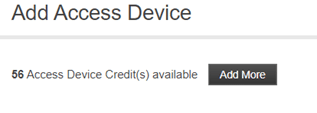
5. Enter the provided Access Device Credit Code, then select “Apply”.