
Adding a Credit to an Owner Ledger
 Adding a Credit to an Owner Ledger
This document is about posting a non-payment credit to an owner ledger.
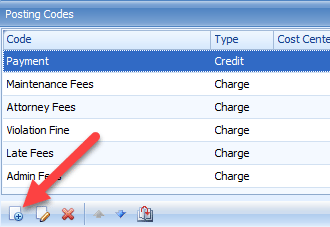
First a credit Posting Code needs to be created. Go to the client’s Posting Codes Toolbox and click on the ‘New Posting Code’ icon.
The New Posting Code Toolbox will open. Enter all of the necessary information and Save.
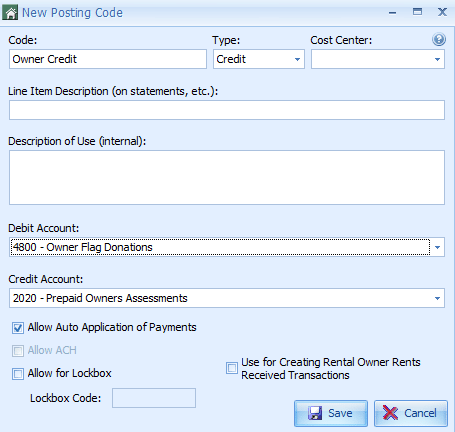
Except for the Code and Debit Account, all of the required fields must be the same as the client’s Payment Posting Code.
Once the Posting Code has been created, it is used like any other. It can be manually applied against specific charges if desired. If not, it will be automatically applied using the existing Payment Application Precedence.
While this process can be used to post credits to the owner’s ledger for existing charges, such as late fees, it is recommended that those charges be reversed instead.