
Manager - Scheduling a Bulletin
We’re updating this article. Some screenshots or names may look older than what you see in the product.

Managers can schedule a bulletin to be sent out at a future date.
Steps
1. Select

2. Select

3. Either create a new bulletin or edit a published or drafted bulletin. If you need instructions on how to create a bulletin, there is a document for this in the Knowledge Base under Creating a Bulletin.
4. To schedule a draft, select View next to the bulletin you are scheduling.
5. Select
 in the top right-hand corner of the page. From the drop-down list select Schedule Bulletin.
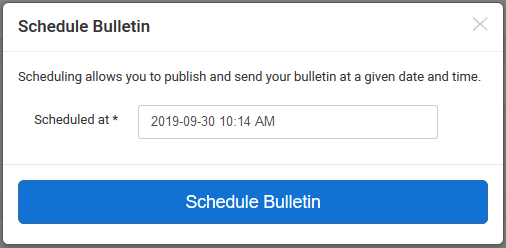
6. A window will pop up as shown below.
7. Select the date that currently shows to pull up the calendar.
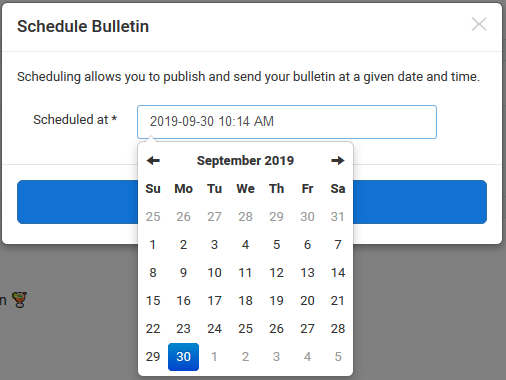
8. Once the date and time you desire have been entered, select Schedule Bulletin.