Resident - Registering Your FRONTSTEPS Dwelling Account
We’re updating this article. Some screenshots or names may look older than what you see in the product.
In order to register your account for the first time, you will need to have received a welcome letter in the mail or a welcome email from your community. This letter should include a one time use registration code or temporary email and password that you will need to get started. If you have not received one yet, please contact your community administrator and request a welcome letter.
GETTING STARTED:
1. Open an internet browser (Chrome, Firefox, or Safari preferred) and go to community.dwellinglive.com
2. Click "Login" near the top right corner of the screen.
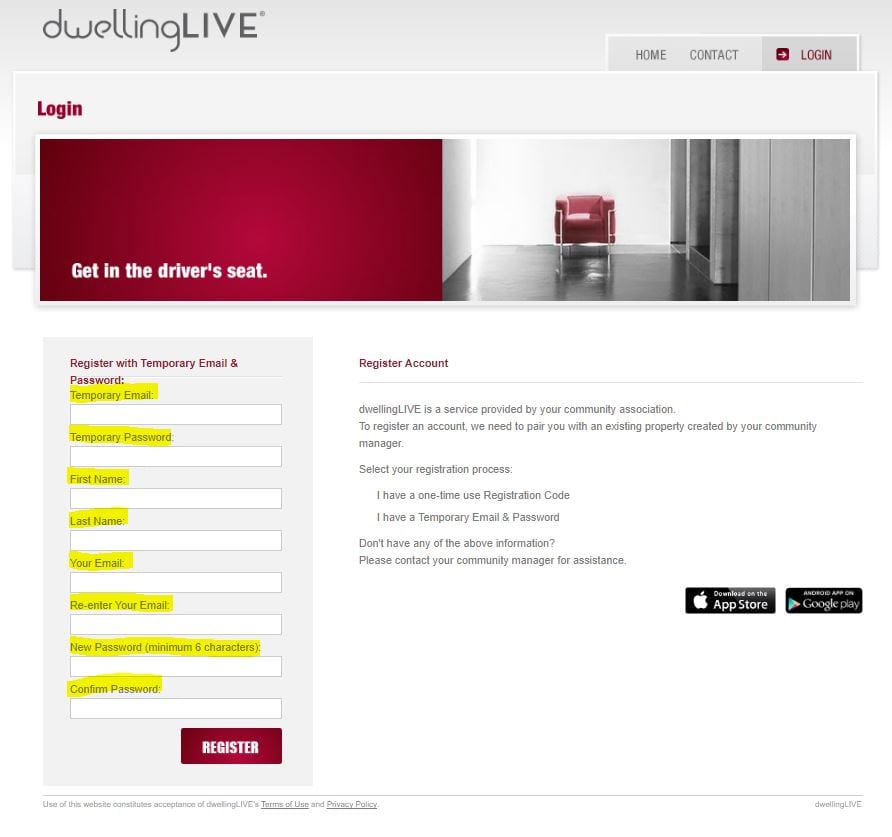
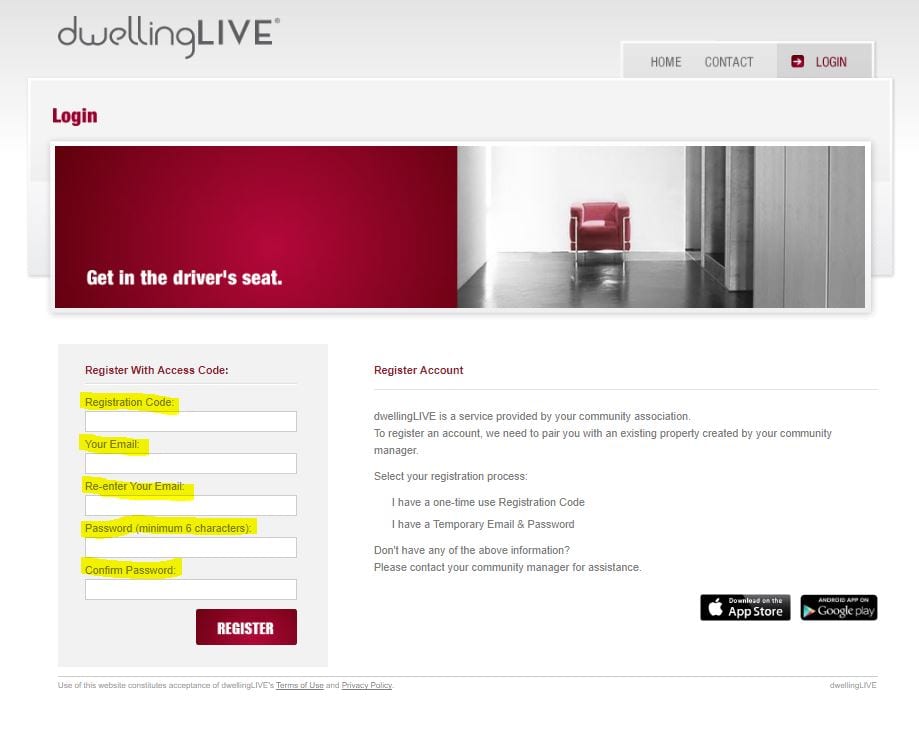
3. Under "Register Account" on the right half of the page > click which registration option applies to the letter you received and fill out the prompts seen below (registration code, email, password) and click "Register".
The email and password you enter here are now the credentials you will use to access FRONTSTEPS Dwelling in the future.
These credentials are applicable to both the Dwelling Community website and the Dwelling Mobile app.
"I have a one-time use registration code" see below:
"I have a temporary email and password" see below: