
Resident - Contacting Your Community Administrator
We’re updating this article. Some screenshots or names may look older than what you see in the product.
Each dwellingLIVE community can customize the information users are able to update within their profiles. Consequently, there are certain fields that must be updated by community administrators. Here's how you can contact them if you need to make changes*:
1. Login to your dwellingLIVE account at community.dwellinglive.com or from your community's website (if applicable).
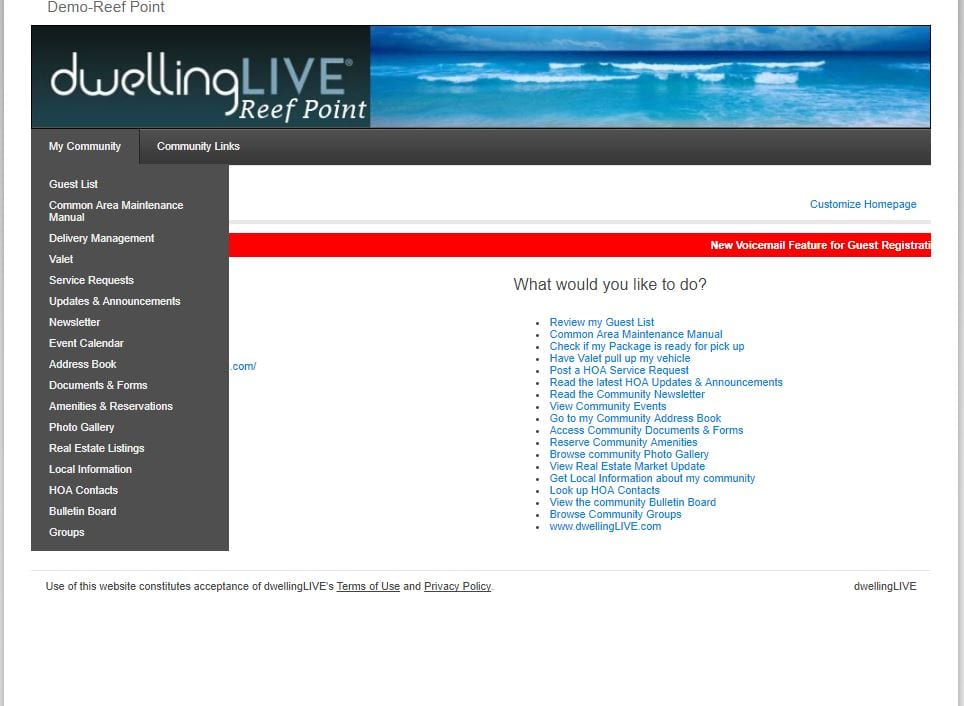
2. Click "My Community" and select "HOA Contacts" from the drop down menu.
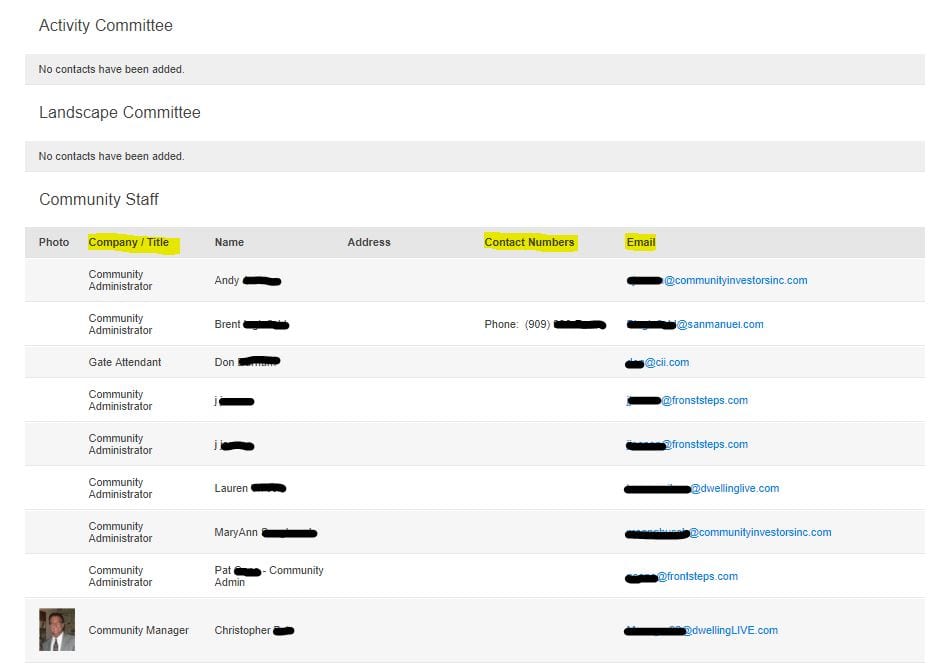
3. Look for the heading "Community Staff" and you should see a list of people and their titles. Look for someone labeled "Community Administrator" and reach out to them directly to assist with your concern.
*If any of the features listed above are unavailable on your community's website, please email [email protected] with your name, contact information, as well as the name of your community and one of our representatives would be happy to look this up for you.