Admin - Sending a Password to a User
We’re updating this article. Some screenshots or names may look older than what you see in the product.
Sending a Homeowner their Password
Go to: http://login.dwellinglive.com/loginrecovery.aspx
Enter the homeowner’s email address in the Email field and click Submit
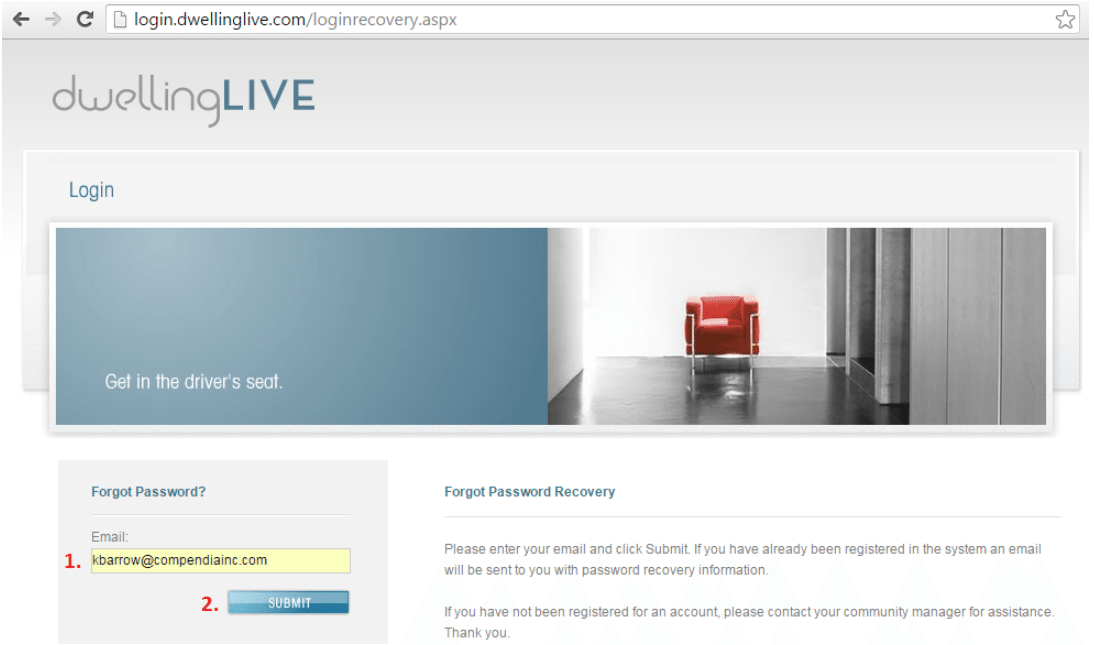
If the homeowner’s email exists in the system and is accurate, the following alert will appear: “Your password will be sent to you by email.” The homeowner HAS been sent their password.

If the homeowner’s email does not exist in the system, the following alert will appear: “The email address entered could not be found.” The homeowner HAS NOT been sent their password.

IF the homeowner HAS NOT been sent their password, proceed to the following steps to reset their information and send them the automatically_generated Welcome Email.
Sending a Welcome Email to a Homeowner
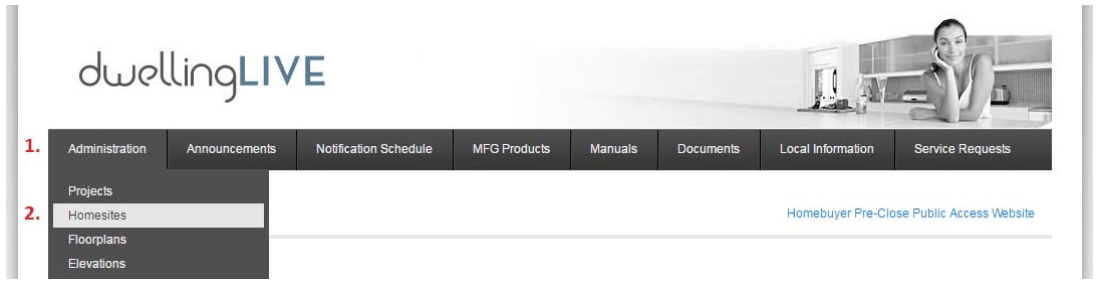
Login at http://login.dwellinglive.com and navigate to Administration -> Homesites
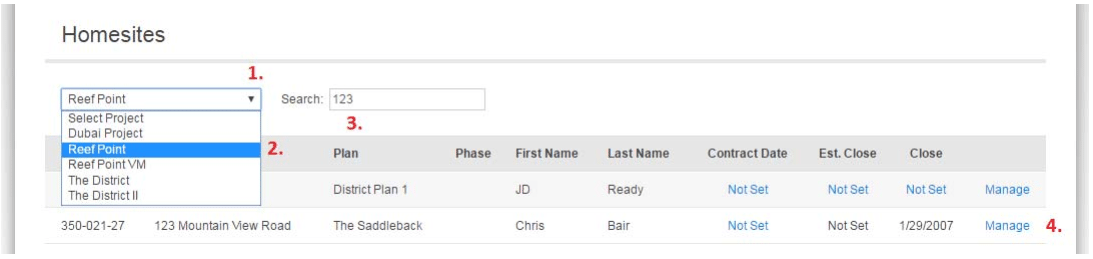
Navigate to the homeowner’s Homesite (address)
- Click on the dropdown menu
- Click on the Project (community)
- Type in the beginning of the homeowner’s address
- Click on Manage next to the correct address
Scroll down to Users and click Edit

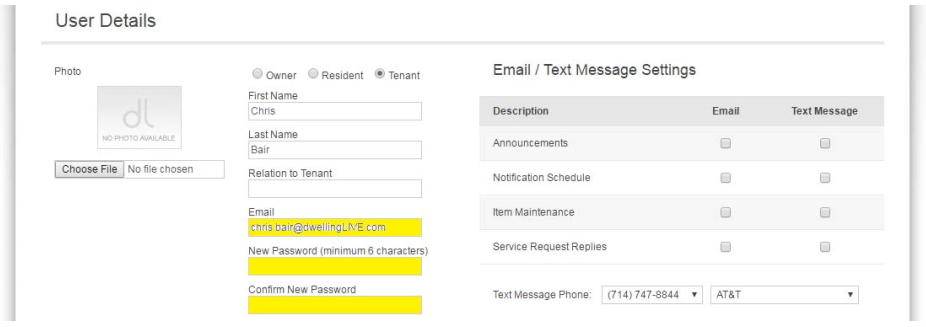
Edit the User Details: Enter the correct email address and set a New Password and Confirm New Password
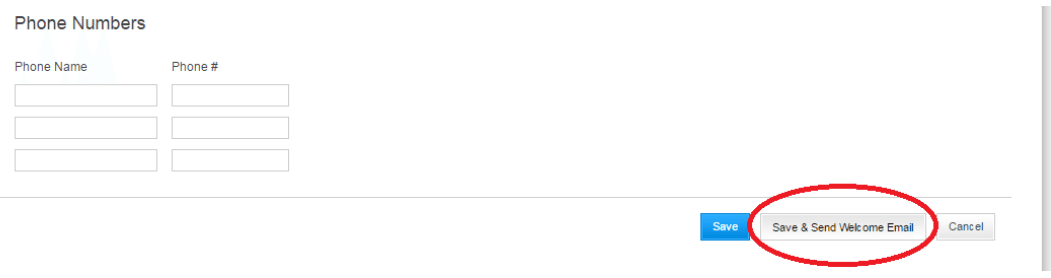
Scroll to the bottom and click on “Save & Send Welcome Email” to send them their login information.
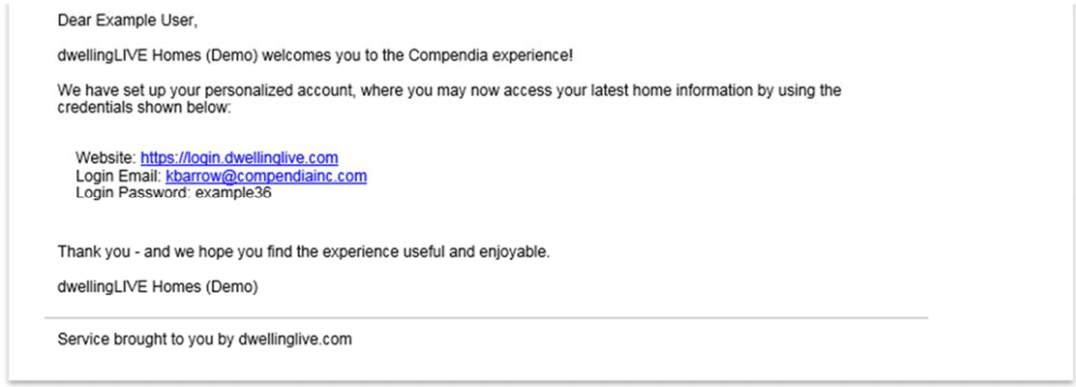
They will receive the following email message.