Admin - Resetting a User's Password
We’re updating this article. Some screenshots or names may look older than what you see in the product.
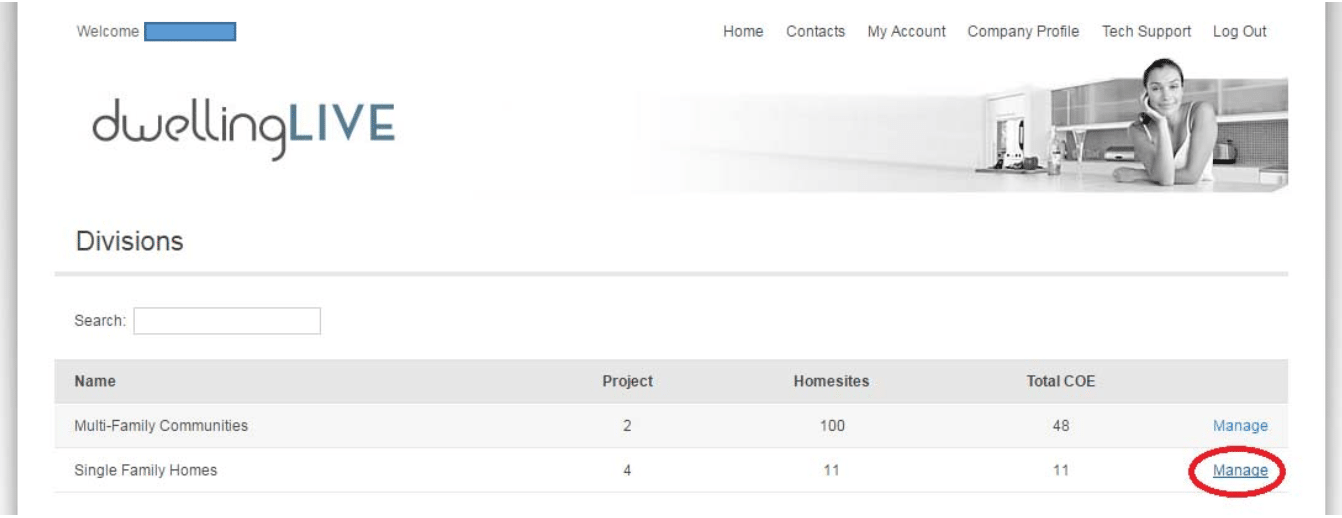
Login and go to the Division by clicking “Manage”
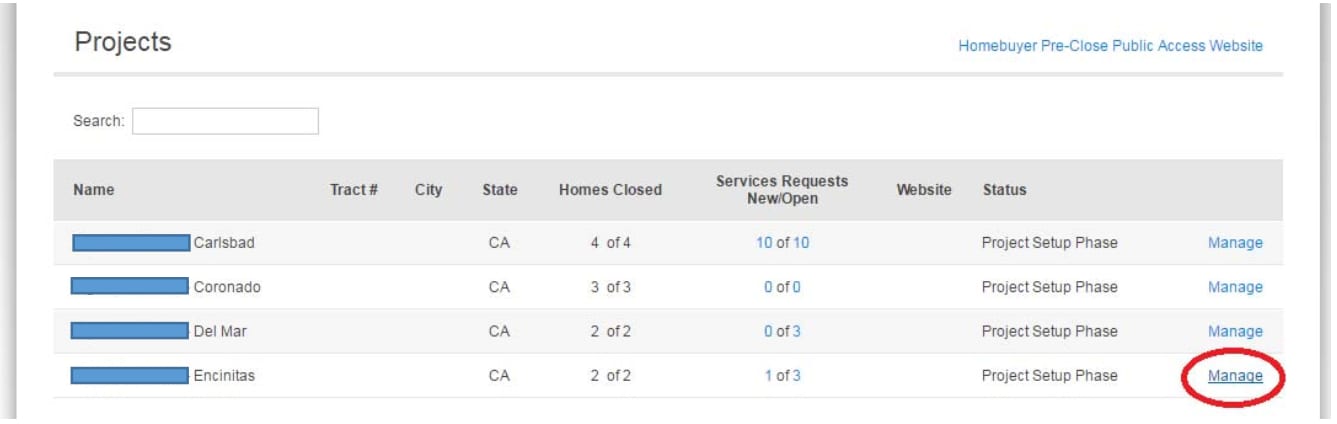
Click “Manage” on the Project
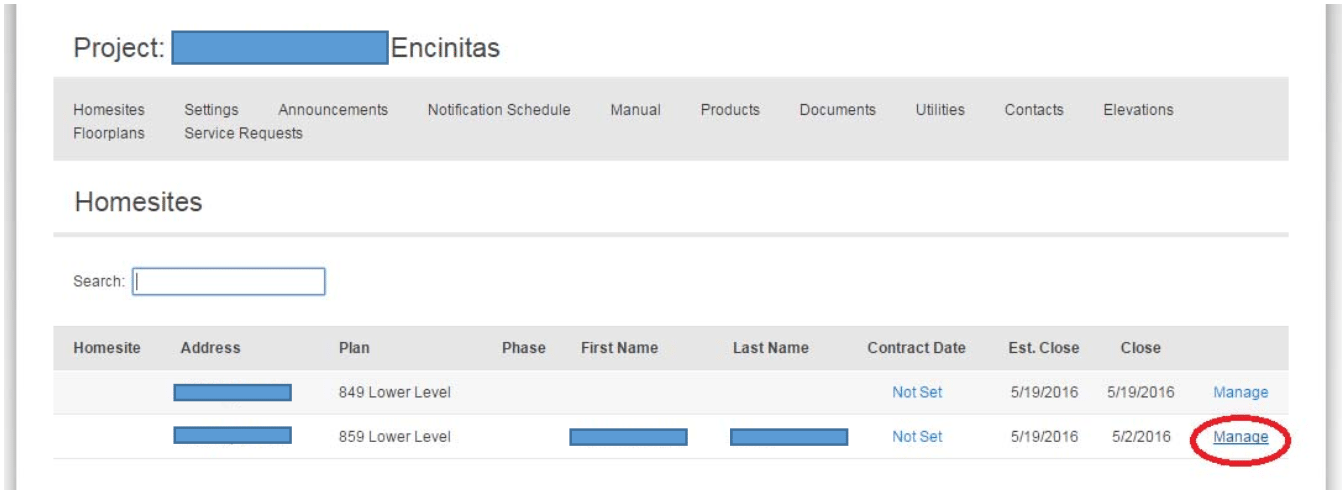
Click “Manage” on the particular Homesite
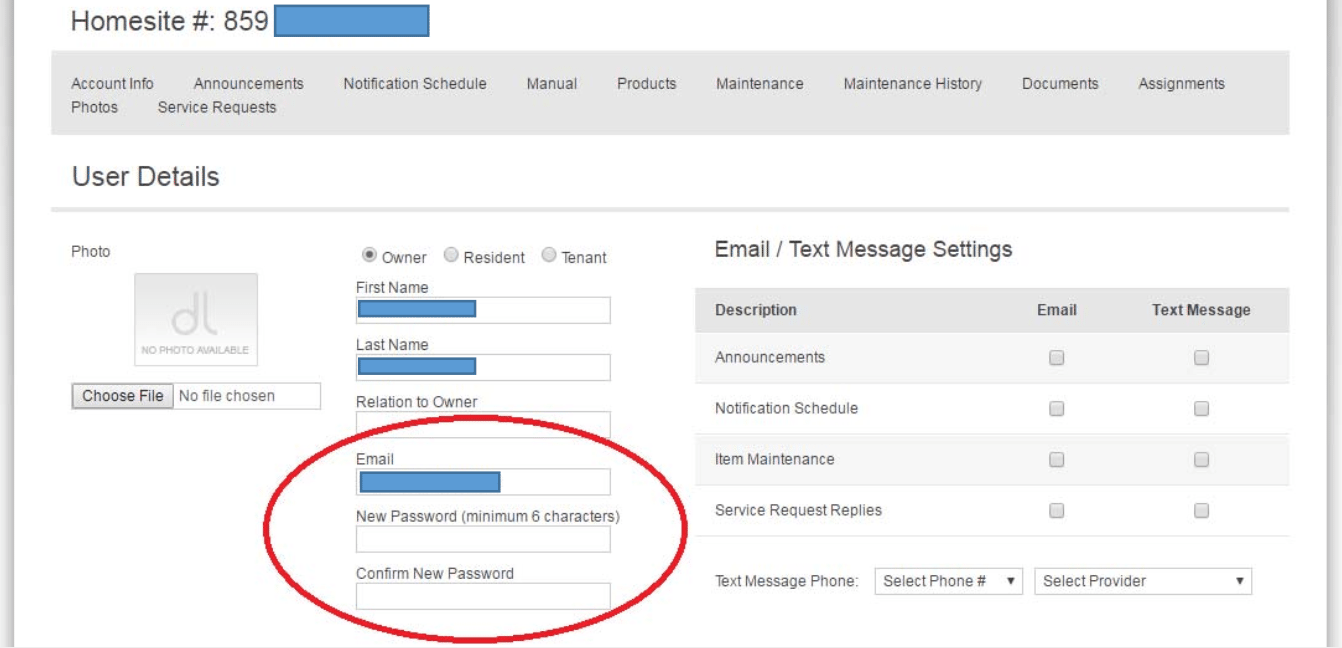
Scroll down to the “Users” and click on “Edit”

From here, you can reset their password.
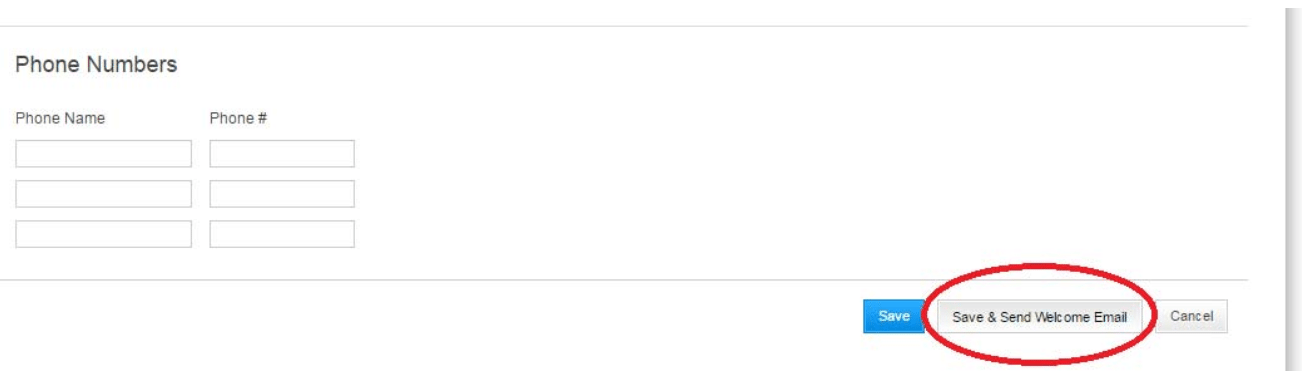
Click on “Save & Send Welcome Email” to send them their login information.
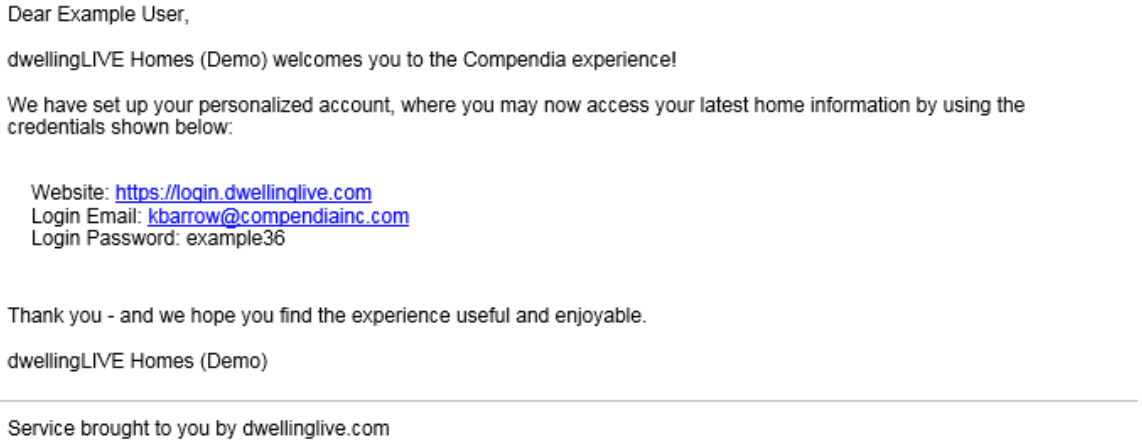
They will receive the following email message.