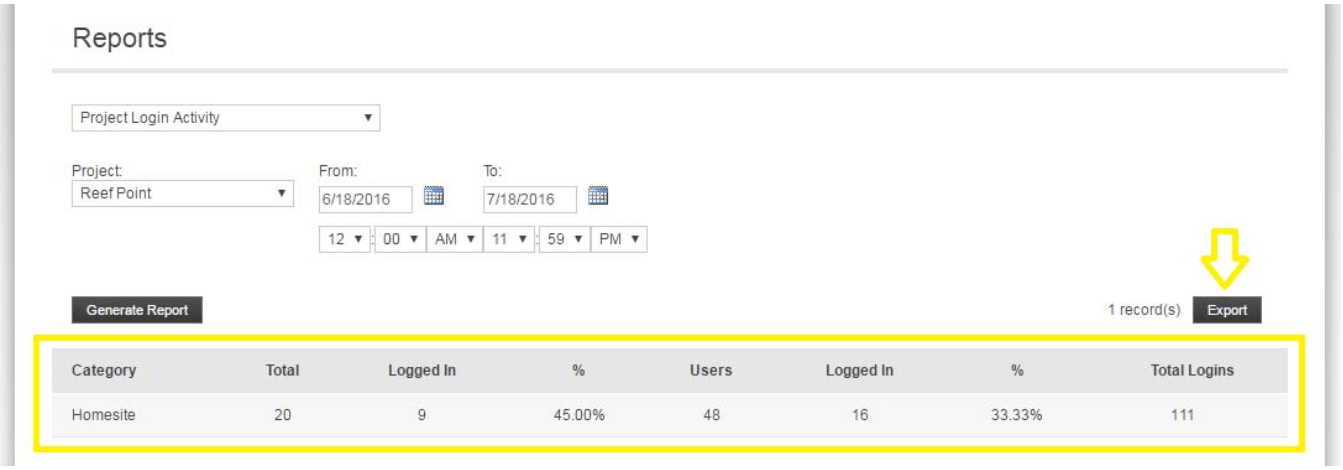
Admin - Project Login Activity Report
We’re updating this article. Some screenshots or names may look older than what you see in the product.
Login at http://login.dwellinglive.com
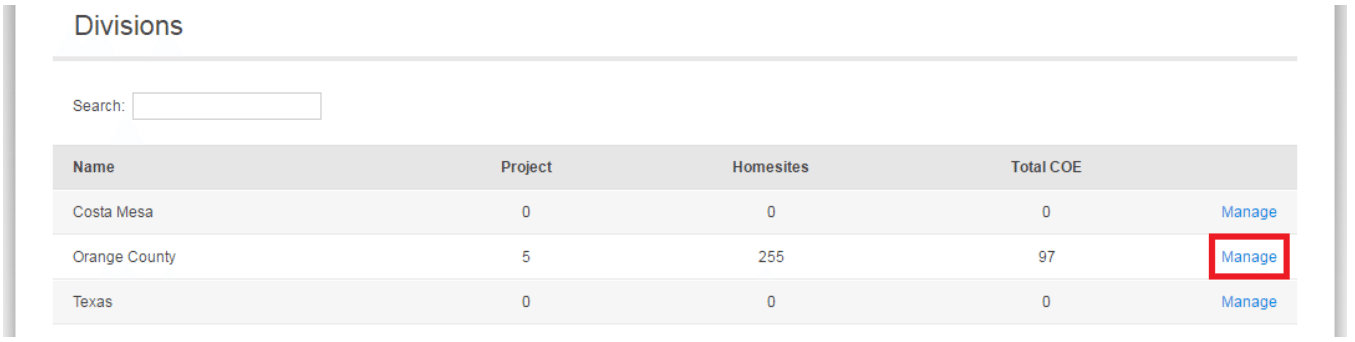
Click Manage next to the division
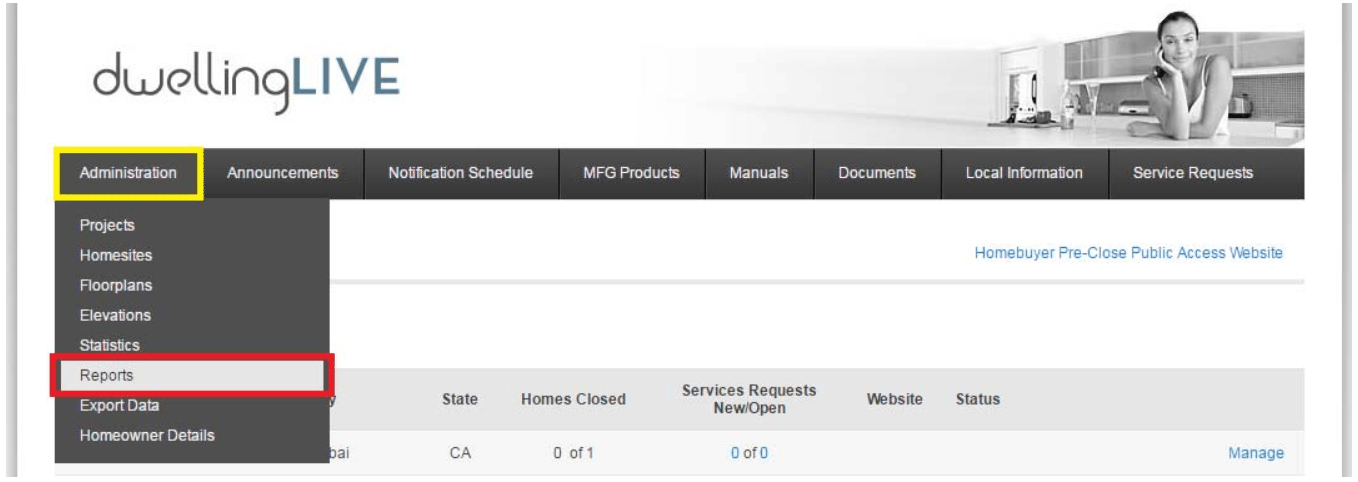
Navigate to Administration _ Reports
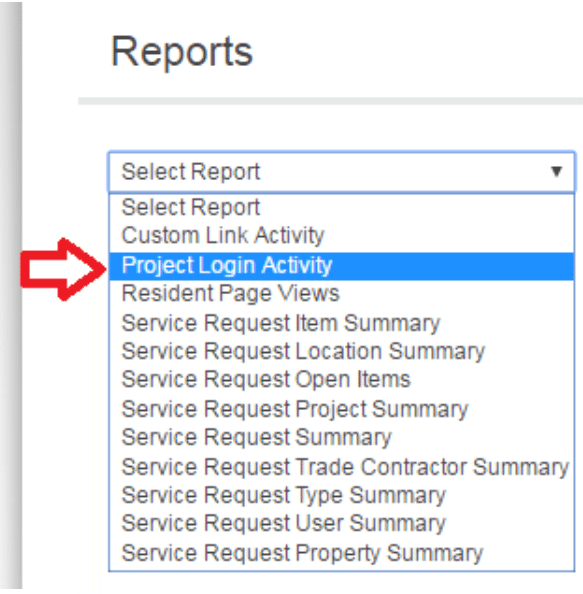
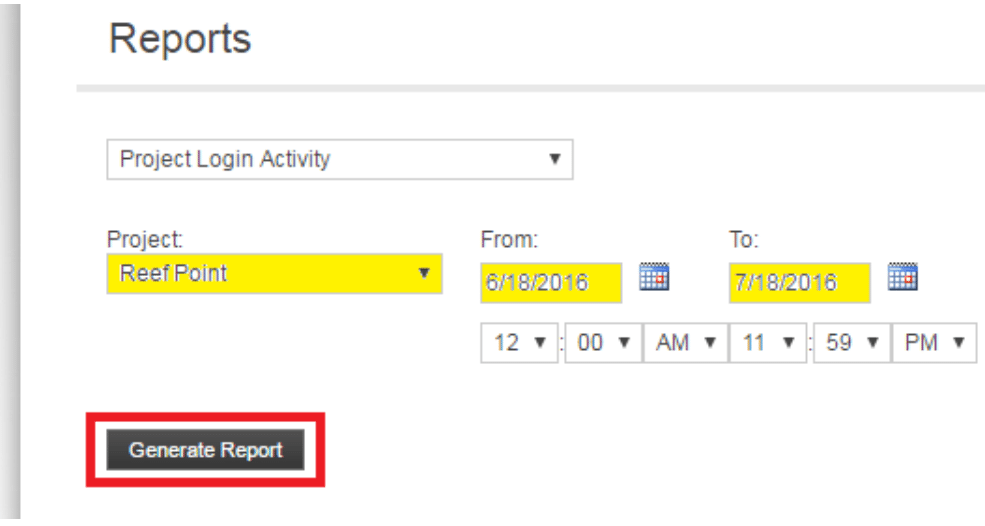
Select Project Login Activity from the dropdown menu
Select your Project and enter a Date Range, then click on Generate Report
The Data will generate below and you have the option of Exporting the data to an Excel spreadsheet