
Admin - Customizing Your Welcome Email
We’re updating this article. Some screenshots or names may look older than what you see in the product.
Login at http://login.dwellinglive.com
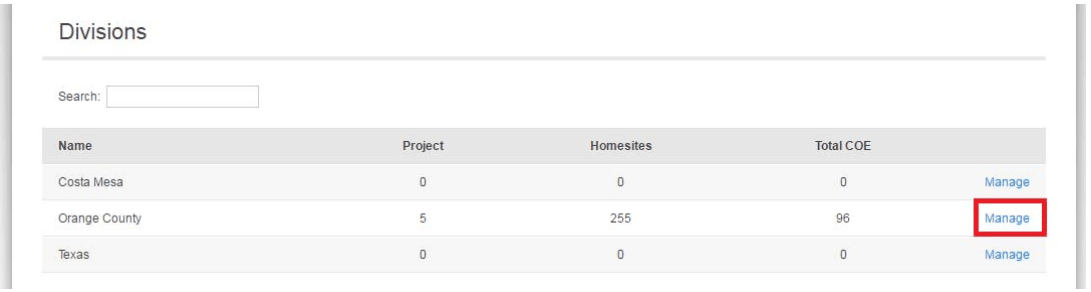
Click Manage next to the Division Name
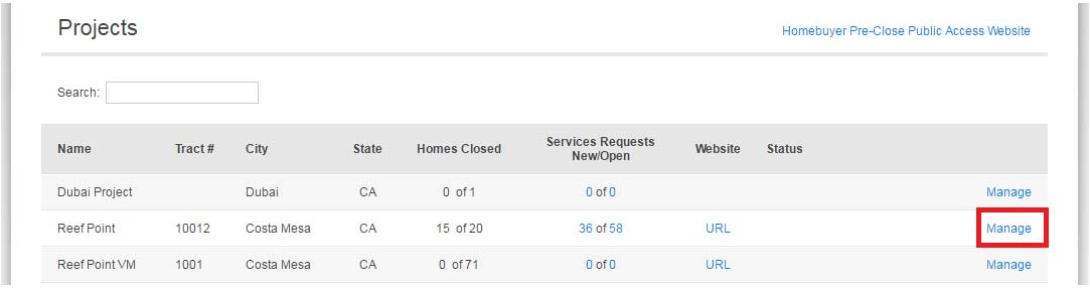
Click Manage next to the Project Name
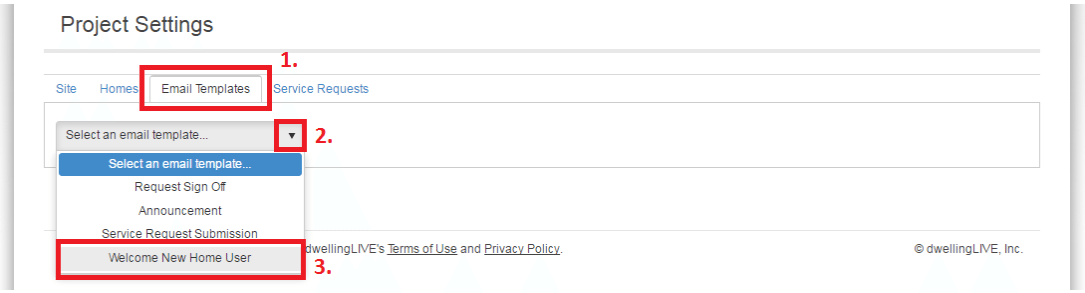
Click on Settings

Click on 1. Email Templates _ 2. Select an email template _ 3. Welcome New Home User
Make any desired changes and click on Save.
Note the directions regarding template fields. These fields will automatically be populated with the user’s first name, email address, password, etc. The [[BUILDER_NAME]] variable will be the builder name in the dwellingLIVE system. You may replace this field by typing in the name for the Community, LLC, Marketing, etc. as needed.
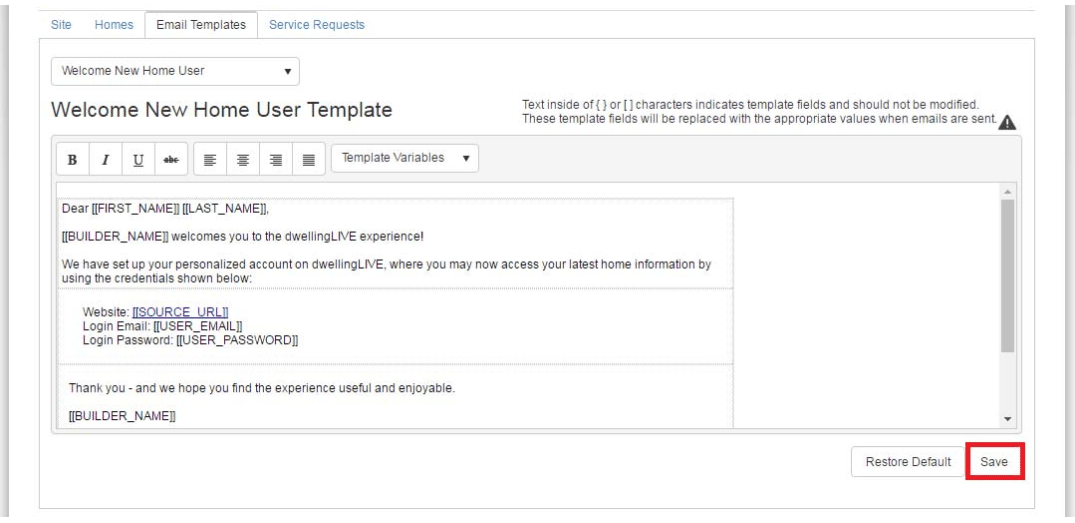
A Check Mark will appear (briefly) to indicate that the template has been saved.
