Admin - Assigning Accounts to Homeowners
We’re updating this article. Some screenshots or names may look older than what you see in the product.
Here at dwellingLIVE, we have set up the “Homesites” for you – each address is set up with its own site and its specific floorplan and elevation image. To give your homeowners access, you only need to edit the “sample” users assigned to the Homesite to reflect your homeowner’s information. Proceed to the following steps to set your homeowner’s Close of Escrow date, input their name and email address, and send them an automaticallygenerated Welcome Email.
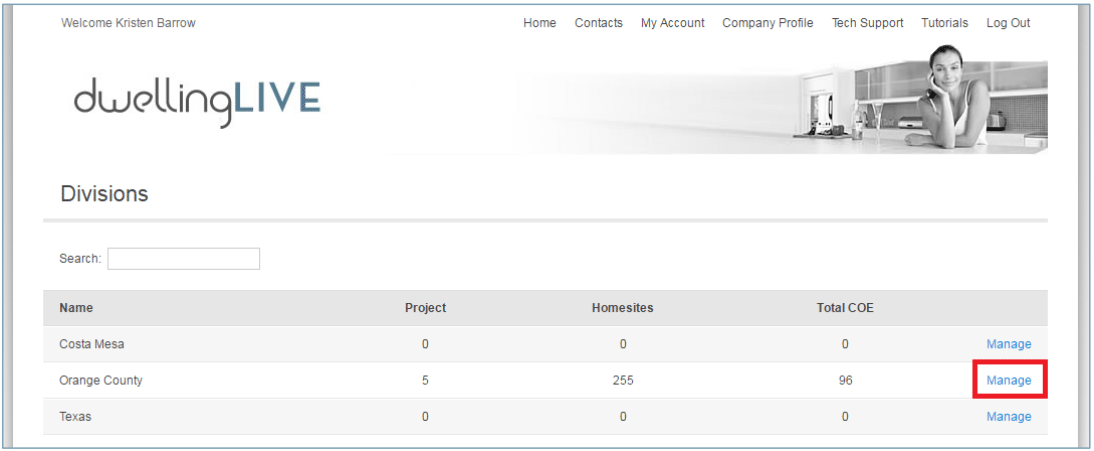
Login at http://login.dwellinglive.com and go to the Division by clicking Manage
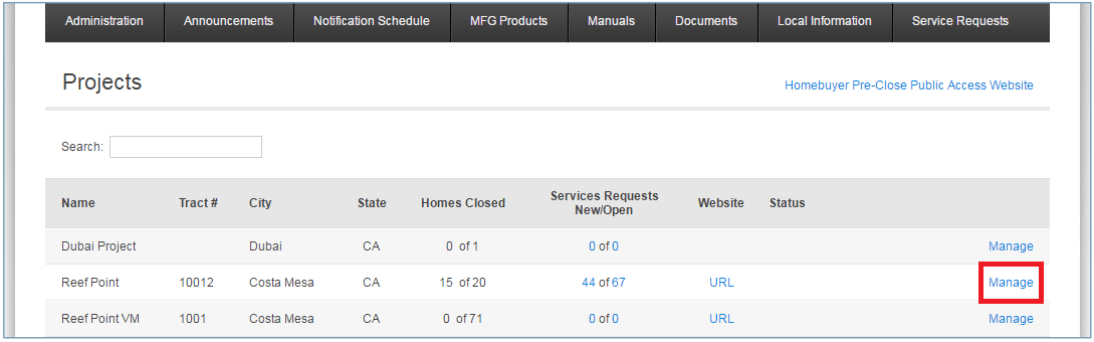
Click Manage next to the desired Project
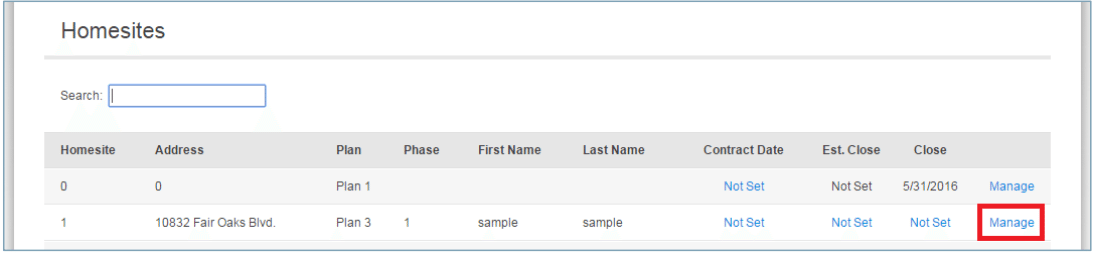
Click Manage on the particular Homesite
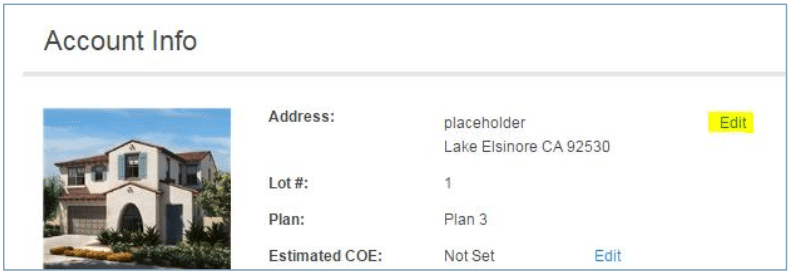
IF the Address is listed as “placeholder,” you must enter the actual address. Note that once this is updated, you cannot update the address again from a builder account. You can also use the dropdown menus next to “Elevation” and “Floorplan” to select the correct options for this homesite.
Entering the “Close of Escrow” Date
Make sure that the Close of Escrow date is set. If it is Not Set, click on Edit
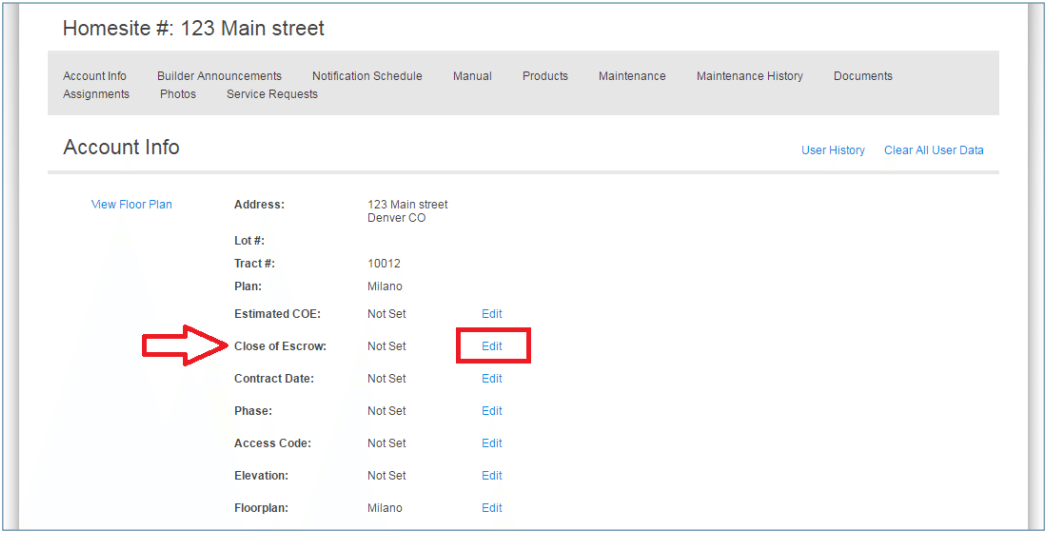
If it is Not Set, click on the Date field, enter the correct date, and click Save
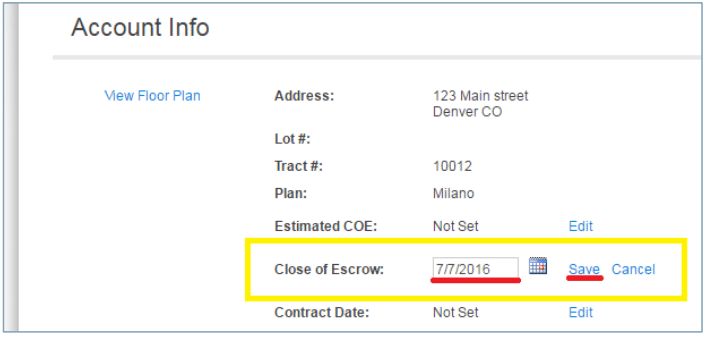
Once Close of Escrow is set, scroll down to the Users and click on Edit

Entering User Information
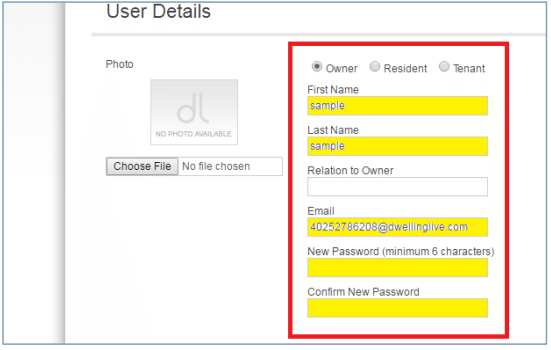
IF THE HOMEOWNER IS NOT SET UP YET: Enter the homeowner’s information (Name, Email Address).
Enter a temporary password (ie: temp123) in New Password and Confirm New Password.
Sending the Welcome Email
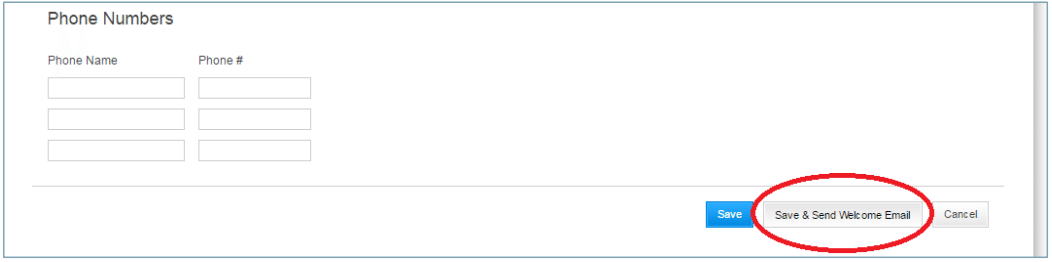
Scroll to the bottom and click on Save & Send Welcome Email to send them their login information.
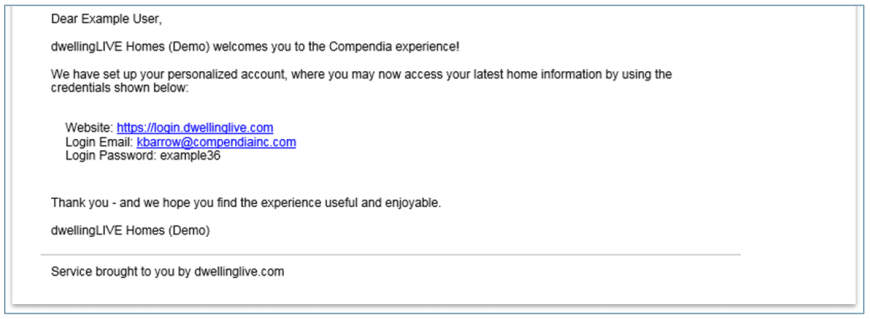
They will receive the following email message (or your Customizing your Welcome Email version of it).