
Homeowner - Adding Options to Online Account
We’re updating this article. Some screenshots or names may look older than what you see in the product.
INSTRUCTIONS FOR ADDING OPTIONS TO YOUR ONLINE ACCOUNT
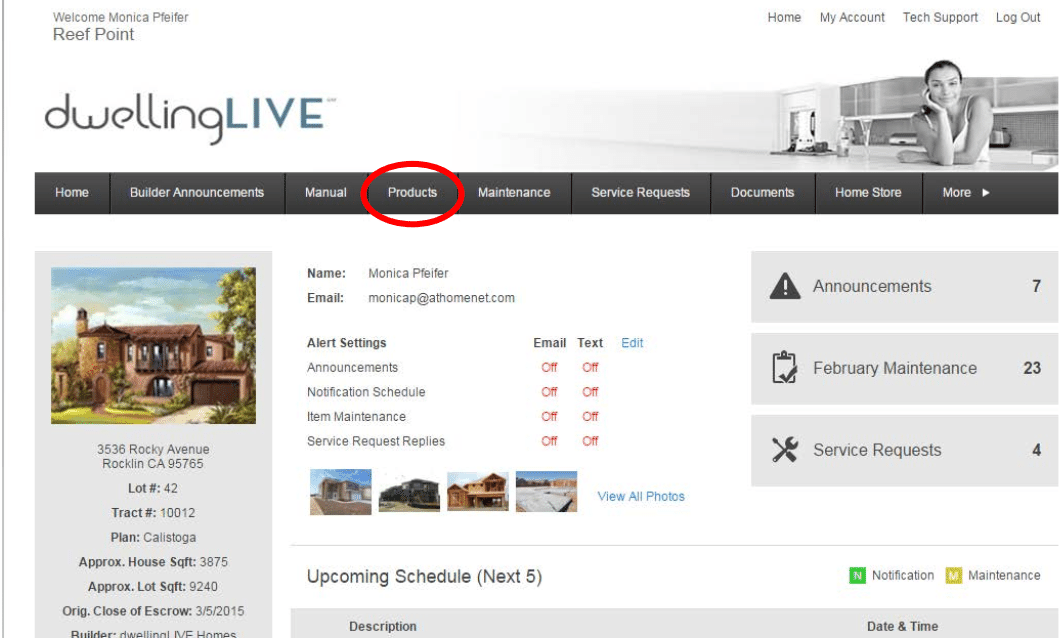
Click on the “Products” menu button (circled in RED)
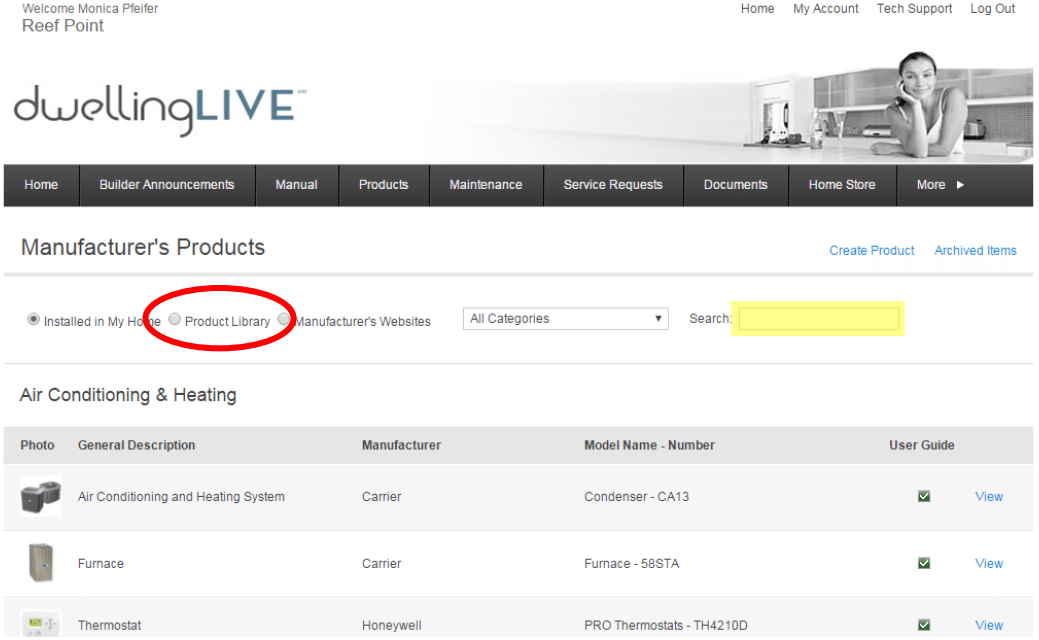
Then click on the “Products Library” button and enter the model number of the optional product you purchased for your home (in the area highlighted in YELLOW).
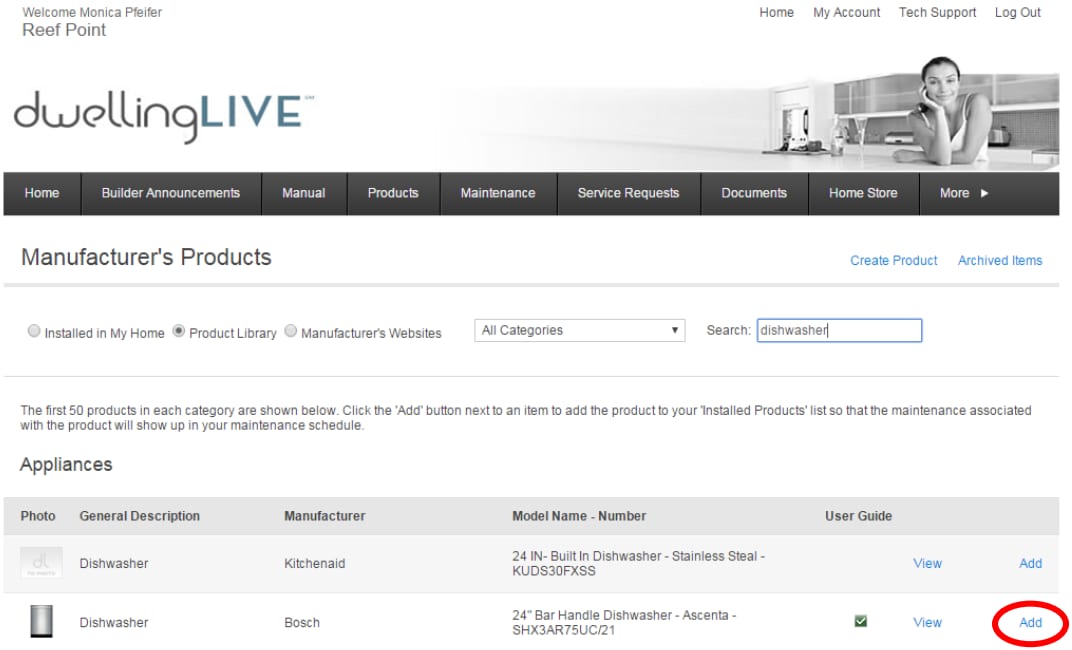
When you have located your product click on “Add” (circled in RED).
Enter the location of the product and select the date it was installed (highlighted in YELLOW). Then press “Add” (circled in RED)
