Admin - Adding Builder Contacts
We’re updating this article. Some screenshots or names may look older than what you see in the product.
On dwellingLIVE, you have the ability to manage the user accounts for the individuals in your organization who need access to the site for purposes of sales, warranty, and/or customer service. Proceed to the following steps to add a new contact.
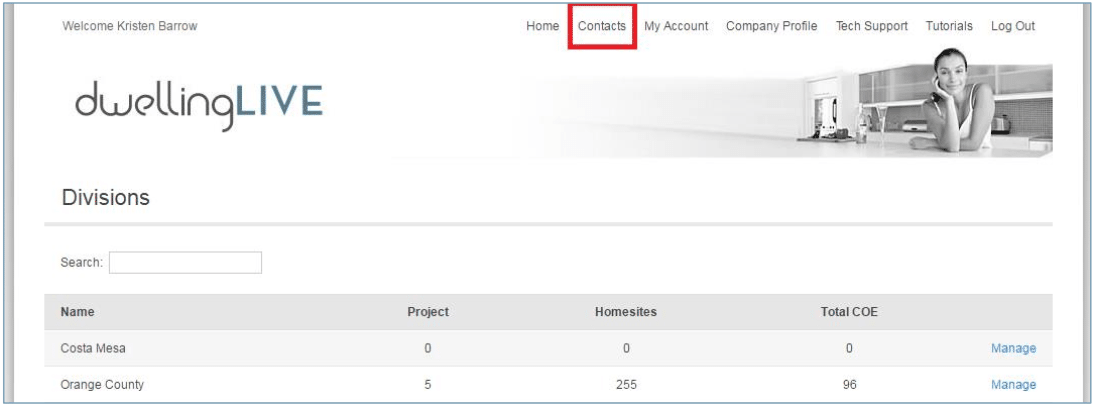
Login and go to Contacts
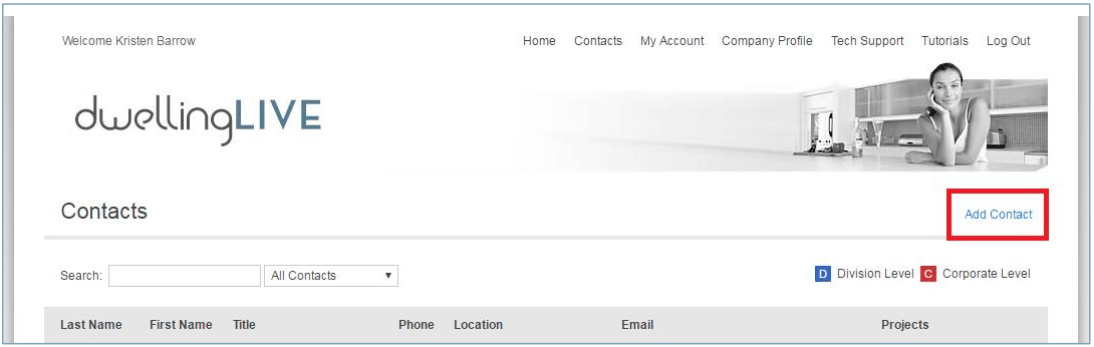
Click on Add Contact
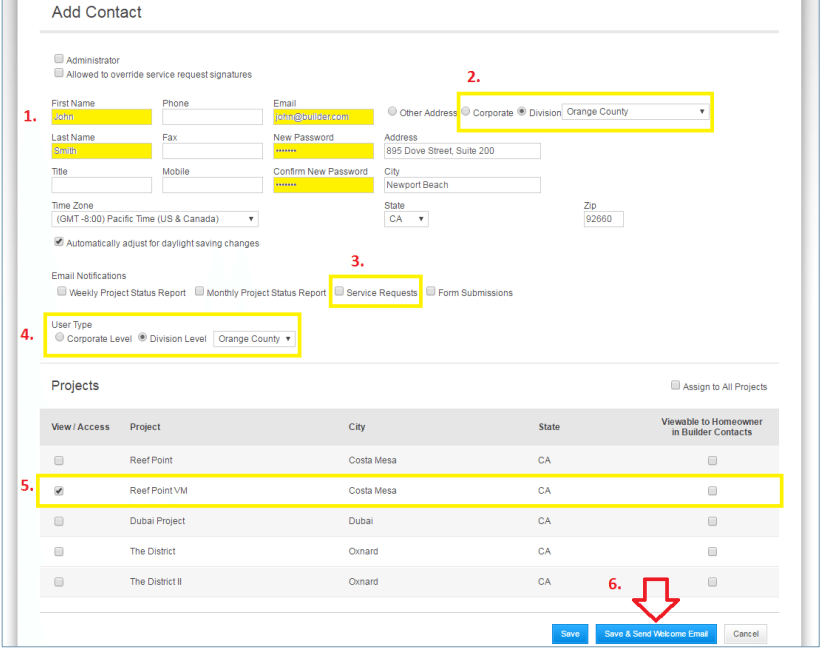
Enter their information using the following steps:
- Enter their First Name, Last Name, Email Address, New Password (any password, such as “john123”), and Confirm New Password (must be the same as New Password)
- a. Note: you MUST set a Password for the user in order to create their account
- Assign the user to the appropriate Division using the drop down menu
- Sign the user up for Service Request emails (if applicable)
- Assign the user to the appropriate Division so that you can select their Projects
- Check the Projects the user should be assigned to
- Click on Save & Send Welcome Email to automatically send them their login information