Admin - Adding an Announcement
We’re updating this article. Some screenshots or names may look older than what you see in the product.
Login at http://login.dwellinglive.com
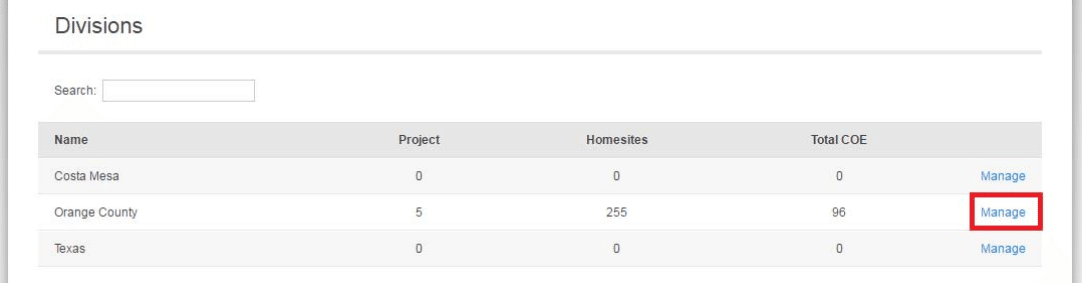
Click Manage next to the Division Name
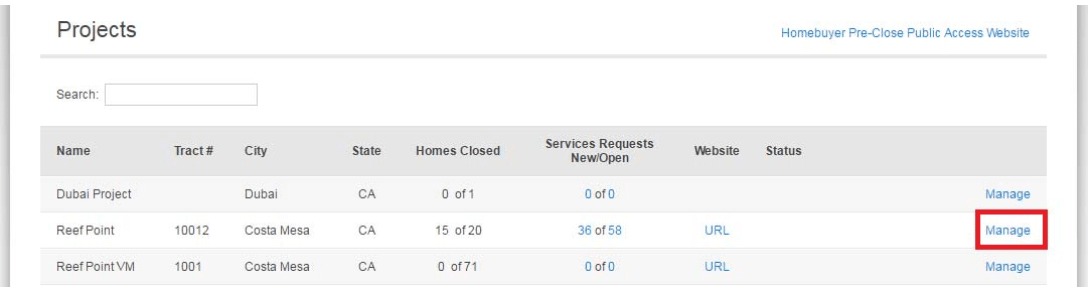
Click Manage next to the Project Name
Click on 1. Builder Announcements _ 2. Add Announcement

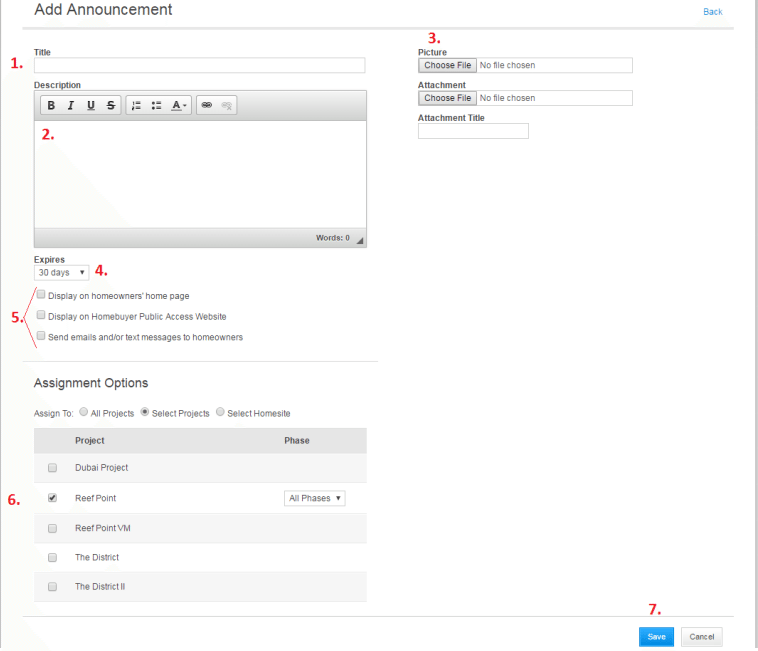
Go through the following steps (see photo for reference numbers):
- Enter a Title (ie: “Fit and Finish Warranty Expiration)
- Enter a Description: This is the body text of your announcement
- Upload a picture and/or document to include with the announcement
- Set an expiration date (when you want the announcement to be removed from the homeowner dashboard)
- Select the option(s) you would like using the checkboxes
- Select to send to All Projects, Selected Projects, or a Select Homesite
- Save the announcement